
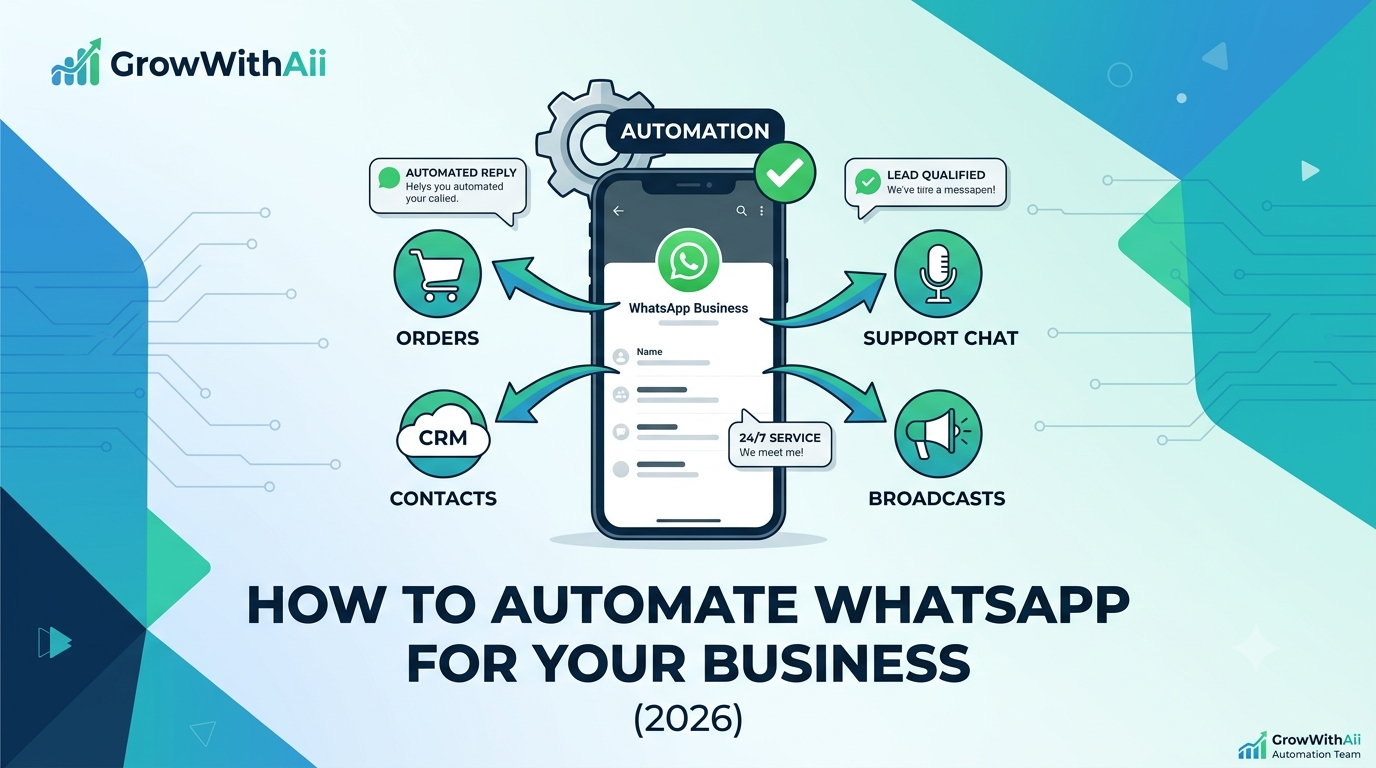
This guide walks through what WhatsApp automation actually is, why it works so well as a sales and support channel, and exactly how to automate WhatsApp for your business step by step — including the rules that trip up most people who try it alone.
What is WhatsApp automation?
WhatsApp automation is the use of approved tools and the WhatsApp Business API to send and respond to messages automatically based on triggers and rules. Instead of a person watching one phone, software handles thousands of conversations at once: greeting new inquiries, sending a tracking link when an order ships, nudging a customer who abandoned their cart, or broadcasting a sale to a segmented list.
The important word is automatic. A human replying fast is great customer service. WhatsApp automation is what happens when "fast" needs to mean "in under two seconds, 24/7, to everyone at once."
Why automate WhatsApp for your business?
The simple reason: that's where your customers already are. Meta reports the WhatsApp Business Platform reaches over 2 billion users, and messaging tends to get opened and answered far more reliably than email or SMS.
Beyond reach, automation fixes three expensive problems:
-
Slow response loses sales. Buyers usually message two or three businesses at once — the first to reply often wins. Automation answers instantly, every time.
-
Manual messaging doesn't scale. One person can't personally reply to 5,000 contacts. A broadcast flow can.
-
Things fall through the cracks. Order updates, follow-ups, and cart reminders get forgotten by people, but never by a workflow.
WhatsApp Business App vs. WhatsApp Business API
This is the decision most guides skip, and it determines what you can actually automate. Here's the honest comparison:
|
WhatsApp Business App |
WhatsApp Business API / Platform |
|
|
Best for |
Solo owners, very small teams |
Growing businesses automating at scale |
|
Devices/users |
One phone, limited users |
Many agents + software, one number |
|
Automation |
Basic greeting & away messages |
Full automation, chatbots, broadcasts |
|
Broadcasts |
Small, manual lists |
Segmented campaigns to thousands |
|
Integrations |
None |
CRM, store, payments, analytics |
|
Setup |
Download the app |
Via a Meta-approved provider (BSP) |
The free app is fine for a one-person shop. But real WhatsApp automation services — auto-replies, segmented broadcasts, store integrations — run on the official API, which you access through a Meta-approved Business Solution Provider. (That's the route we set up on our WhatsApp automation service.)
How to automate WhatsApp for business, step by step
Here's the path from "manual phone" to "fully automated channel."
1. Pick your setup. Decide between the Business App (tiny scale) and the Business API (everything else). For automation, it's the API.
2. Set up and verify your account. Register a WhatsApp Business API account and complete business verification to earn the official green-tick profile. This is the WhatsApp Business API setup stage, and it's usually handled by your provider.
3. Collect opt-in first. Before you can message people with templates, you need their consent — this isn't optional (more on that below). Build a clean opt-in into your website, ads, and checkout.
4. Create and submit message templates. Any message you start outside an active conversation must use a pre-approved template. Meta reviews these, so write them to be genuinely useful, not spammy.
5. Set up your auto-replies. This is the core WhatsApp auto-reply setup: instant greetings for new chats, away messages, FAQ answers, and keyword-triggered responses (e.g., "PRICE" returns your pricing). Aim to resolve the common questions without a human.
6. Connect your CRM and store. Wire WhatsApp into your CRM, e-commerce platform, and payment gateway so order data and contact records flow automatically. Pairing it with proper CRM automation is what turns chats into tracked, scored leads.
7. Segment your list and broadcast. Group contacts by behavior, location, or purchase history, then automate WhatsApp messages — personalized broadcasts, each segment getting a relevant offer rather than one generic blast.
8. Add a chatbot with human handoff. Let automation handle routine queries, and route anything complex to a real person cleanly. The handoff is what keeps it feeling human.
9. Measure and optimize. Track delivery, response, and conversion, then refine flows monthly. This is where treating WhatsApp as one piece of your broader workflow automation pays off.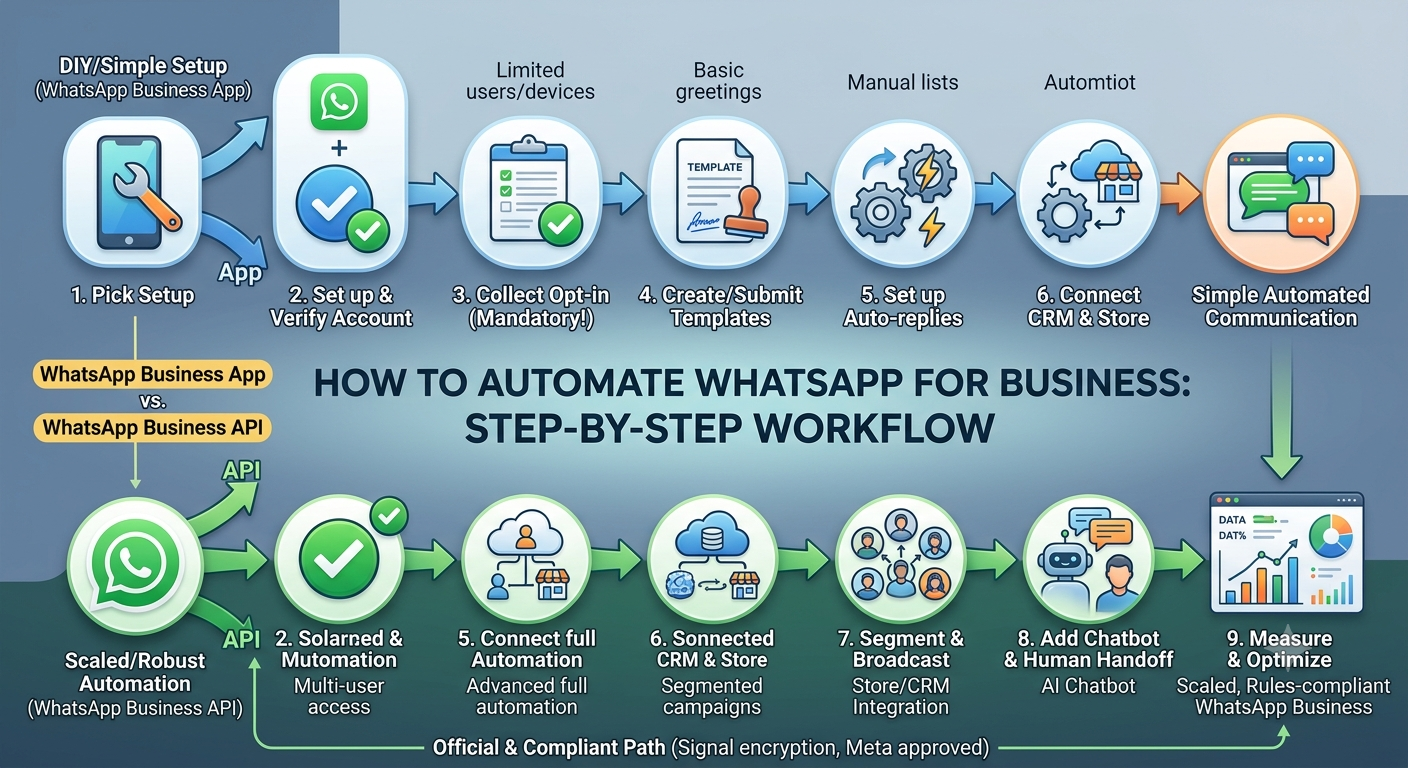
What you can automate on WhatsApp
In practice, these flows deliver the most value:
-
Abandoned cart recovery — auto-message shoppers who didn't check out, with a nudge or offer.
-
Order and shipping updates — confirmations, tracking links, and delivery alerts that cut support tickets.
-
Promotional broadcasts — flash sales and launches to segmented, opted-in lists.
-
Click-to-WhatsApp ad capture — leads from Facebook/Instagram ads drop straight into an automated qualification flow, no landing page needed.
-
Support triage — FAQs, order status, and bookings handled automatically, escalating the rest.
The rules you can't ignore
This is where DIY attempts most often go wrong — and why this section matters more than any growth hack.
Opt-in is mandatory. Per Meta's policy, you must obtain user opt-in before sending template messages, and the opt-in must make your business name and intent clear. No buying lists, no cold blasting.
Templates need approval. Business-initiated messages outside the 24-hour customer-service window must use Meta-approved templates. Plan your campaigns around that window.
Use the official API only. Unofficial "WhatsApp blaster" tools violate WhatsApp's terms and routinely get numbers banned. The official platform also keeps messages protected by Signal-protocol encryption.
Respect data rules. In India, the DPDP Act applies; in the EU, it's GDPR. Keep consent records and handle message data accordingly.
Get these right, and automation is a durable channel. Get them wrong, and you lose the number you built everything on.
DIY vs. WhatsApp automation services
You can set up basic automation yourself with the Business App. But once you need API access, template approvals, store integrations, and compliant opt-in funnels, most teams bring in a provider — both to move faster and to avoid a ban.
Choose WhatsApp automation services when you want broadcasts at scale, real CRM and payment integrations, a chatbot with human handoff, and someone accountable for staying inside Meta's rules. Going it alone makes sense only for the simplest, lowest-volume needs.
A quick example of what "done right" looks like: one fashion D2C brand we worked with rebuilt its post-checkout flow into automated cart-recovery and order-update sequences and recovered a meaningful chunk of otherwise-lost revenue within about two months — without adding support headcount.
Frequently asked questions
Is WhatsApp automation allowed by WhatsApp? Yes, when you use the official WhatsApp Business Platform and follow the opt-in and template rules. Unofficial bulk-sender tools are not allowed and risk a ban.
Do I need the API, or is the free app enough? The free Business App covers basic greeting and away messages. For auto-replies at scale, broadcasts, and integrations, you need the API.
Can I message anyone with a promotion? No. You can only send promotional or template messages to contacts who have opted in.
How long does setup take? Verification typically takes a few business days, and a full automation build usually goes live within a couple of weeks, depending on integrations.
Will customers know it's automated? Well-built flows feel personal and natural, and complex questions hand off to a human — so it rarely feels robotic.
The bottom line
WhatsApp automation turns the app your customers already live in into a 24/7 sales and support channel — auto-replying instantly, sending order updates, running segmented broadcasts, and capturing leads, all on the official, compliant platform. The "how" is straightforward: get on the API, collect opt-in, build templates and auto-replies, integrate your tools, and optimize. The part that takes experience is doing it without getting banned.
If you'd rather skip the trial and error, our team can set up your WhatsApp automation end-to-end — or pair it with AI voice agents for full coverage across chat and calls. Book a free consultation, and we'll map it to your business.