
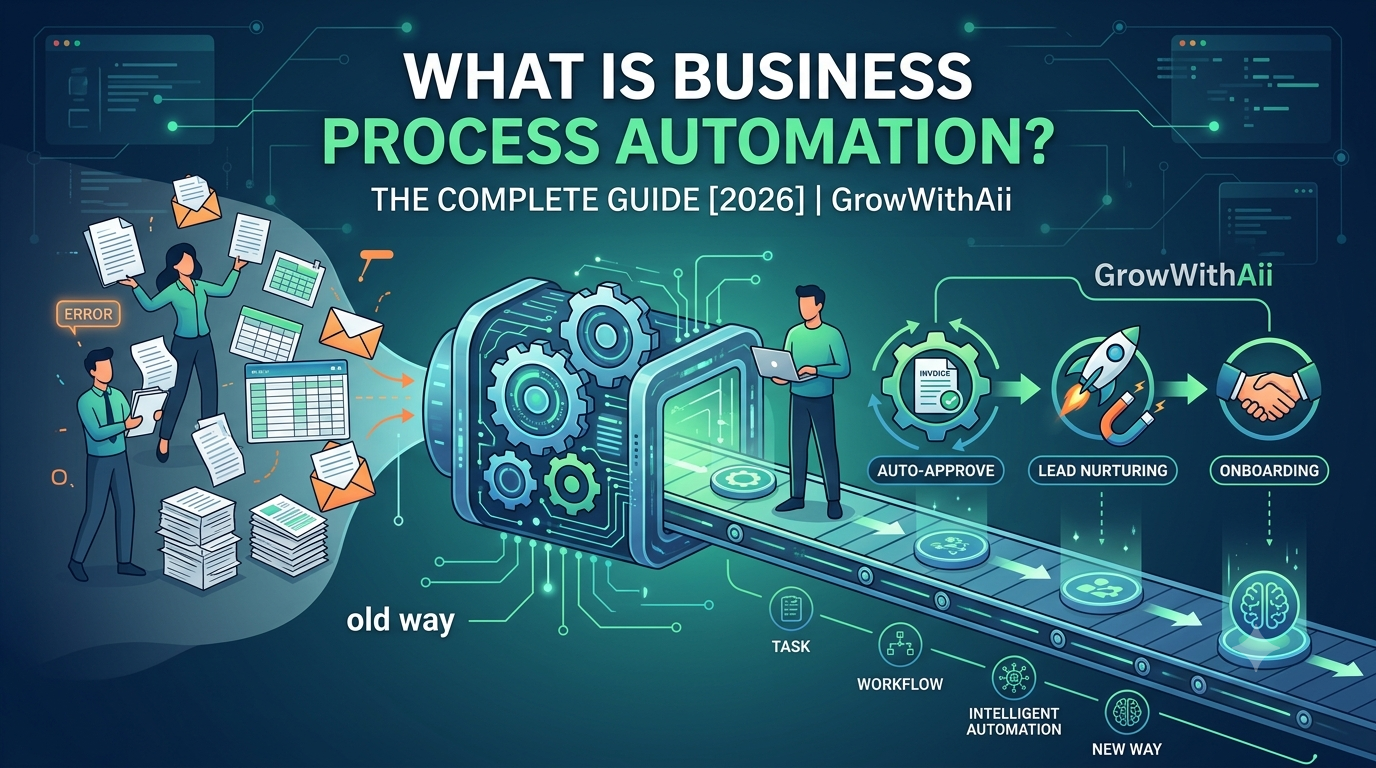
Business process automation (BPA) is the use of software to run multi-step, recurring business processes end to end — with little or no manual intervention. Rather than automating a single click, it connects multiple systems and applies rule-based logic (for example: if an invoice is under $500, auto-approve it; if it's over $500, route it to the CFO) to move an entire workflow from start to finish on its own.
The payoff isn't hypothetical. McKinsey Global Institute estimates that about half of all work activities are technically automatable with already-proven technology, and that around 60% of occupations have at least a third of their tasks that could be handed to software. Below, we'll break down what BPA actually means, how it differs from related terms, the main types, and where it delivers the fastest wins — drawing on the automation systems we've built for growing businesses at GrowWithAii.
What Is Business Process Automation? (BPA Meaning)
At its core, the BPA meaning comes down to using software to execute the multi-step, recurring tasks that were previously done by hand.
Unlike a simple macro or task script, true business process automation links multiple software systems together to handle entire workflows on predictable, logic-based rules. According to IBM, the primary goal of BPA is to enhance operational efficiency, reduce human error, and standardize processes — freeing staff to focus on strategic work instead of routine administration.
BPA vs. RPA vs. BPM: Clearing Up the Confusion
These three acronyms get used interchangeably, but they describe different layers of the same problem. IBM frames them as a spectrum: BPA and RPA are the tools, and BPM is the wider discipline they sit inside.
-
Business Process Management (BPM)
The overarching discipline of studying, modeling, and improving your end-to-end processes. Automation is one of the tools used within BPM.
-
Robotic Process Automation (RPA)
Software "bots" that mimic specific human actions on a screen, such as clicking a button or copying data between two legacy apps.
-
Business Process Automation (BPA)
The end-to-end orchestration of a whole workflow, often integrating multiple cloud tools, data sources, and APIs.
The short version: BPM is the strategy, BPA orchestrates the full process, and RPA handles the individual repetitive actions inside it.
The 4 Core Types of Business Process Automation
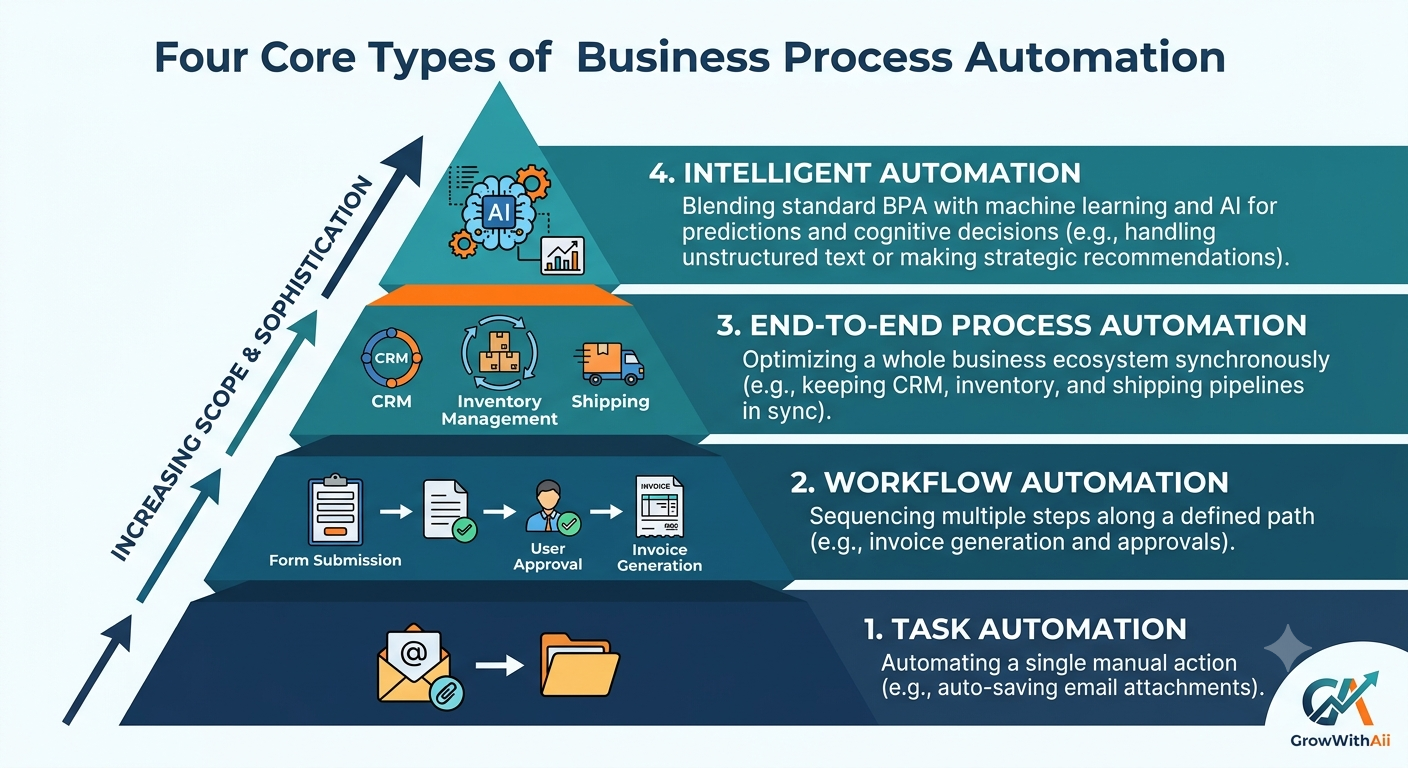
Automation isn't one-size-fits-all. Most implementations fall into one of four tiers, increasing in scope and sophistication.
-
Task automation
The most basic tier: turning a single manual action into a hands-free event — for example, auto-saving email attachments into a shared cloud folder.
-
Workflow automation
Sequencing multiple steps along a defined path so tasks and data hand off cleanly between stages or departments without human friction. This is the tier most SMBs start with, and it's the backbone of most practical workflow automation projects — handling everything from product configuration to invoice generation in tandem, without data silos.
-
End-to-end process automation
Optimizing a whole business ecosystem at once — for instance, keeping CRM records, inventory, and shipping pipelines in sync concurrently.
-
Intelligent automation
The most advanced tier, blending standard BPA with machine learning and AI so systems can make predictions, read unstructured text, and handle cognitive decisions. This usually calls for a custom AI system rather than off-the-shelf rules.
Real-World Business Process Automation Examples
How does this look day to day? Here are three common business process automation examples that reliably save teams hundreds of hours.
Employee onboarding
Instead of HR manually emailing forms, a workflow triggers the moment an offer letter is signed: the system generates the contract, provisions a company email, requests hardware from IT, and sends the new hire their training materials — all before day one.
Invoice and expense processing
When an invoice lands in a designated inbox, optical character recognition (OCR) extracts the billing details, matches them against a purchase order, logs the data into your accounting platform, and schedules the payment — no manual keying.
Lead nurturing and sales
When a prospect downloads a guide from your website, automation tags them in your CRM, sends a tailored follow-up sequence, and alerts a sales rep only once the lead shows high buying intent. (This is where BPA overlaps with CRM automation — the two run on the same connected data.)
The Benefits: Why Companies Automate
The shift to automated processes delivers measurable, compounding advantages:
-
Real cost reduction — for those who commit. Bain & Company's Automation Scorecard found that automation leaders cut the cost of automated processes by an average of 22%, versus just 8% for laggards — with the top quartile reaching 37%. The gap comes down to execution, not technology.
-
Fewer errors. Human fatigue produces typos, lost emails, and missed deadlines. Software applies the same rules identically every time.
-
Better visibility. Managers can spot bottlenecks in real time through transparent digital logs, which raises accountability across teams.
Best Practices for a Successful BPA Rollout
Automation rewards a deliberate approach far more than a rushed one.
-
Start small, scale later. Don't try to automate the whole company in a weekend. Pick one high-volume, highly predictable process — a weekly report or a simple approval queue — to build momentum and prove value.
-
Clean your data and process first. Automation accelerates whatever you give it, including a broken process. If your inputs or process maps are disorganized, automation will only multiply the mistakes faster. Map and tidy the workflow before you build.
-
Lean on proven frameworks. Building complex automation logic from scratch drains internal resources quickly. A tested blueprint — or an experienced automation partner — helps you design secure integrations that scale with your infrastructure instead of breaking at the next growth stage.
FAQ: Business Process Automation
What is business process automation in simple terms?
It's using software to run an entire multi-step business process — like onboarding or invoice approval — automatically, based on rules you define, instead of having people move each task along by hand.
What is the difference between BPA and RPA?
RPA is task-level: bots that mimic specific human clicks and keystrokes, often on legacy screens. BPA is process-level: it orchestrates a full workflow end to end, usually by integrating several systems. RPA bots are frequently one component inside a larger BPA workflow.
What are common business process automation examples?
Employee onboarding, invoice and expense processing, and lead nurturing are among the most common. Others include purchase-order approvals, customer support ticket routing, and inventory reordering.
How do I start with business process automation?
Begin with one high-volume, predictable process, clean up the underlying steps and data first, then automate and measure the result before expanding to more complex, multi-system workflows.
Does business process automation reduce headcount?
Usually it reshapes work rather than replacing people — automating routine admin so staff can move to higher-value tasks. Fewer than 5% of jobs are fully automatable with current technology, according to McKinsey; most see only certain tasks automated.
The Bottom Line
Business process automation isn't about buying software for its own sake — it's about removing the manual, error-prone busywork that quietly slows a growing business down. Done well, it lowers costs, reduces mistakes, and gives your team back the hours they were spending as human bridges between systems.
The businesses that win with automation aren't the ones that automate everything at once — they're the ones that start with a clear, high-value process and build from there. If you're not sure where that first process is, book a free automation audit, and we'll help you map where automation will pay off fastest.